How can we help?
Popular searches: KB Main Page, AI Chat, Widgets
Adobe – Adding text to PDFs
To Add Text:
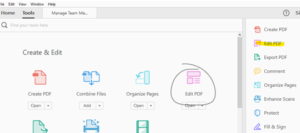
Go to “Tools” and choose “Edit.”
Choose “Add Text” from the toolbar:
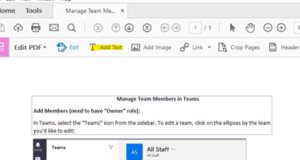
Draw a text box using your cursor:
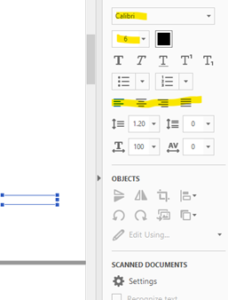
Choose whatever text options you need from the sidebar and start typing in the text box: