Popular searches: KB Main Page, AI Chat, Widgets
Request for Funds
If you are looking for information on how to handle funds request for a rescheduled event see: Rescheduled event & funds request – K|H Law Wiki
In certain situations, we want to request funds from the clients before a specific event to ensure we have plenty of money. This allows clients to be given notice that the money will need to be paid and give them time to pay it.
Required Request for Funds
Request for Funds are required for
- Trial
- Evidentiary Hearings
- Mediations
- Motions
The only exception to this would be if the client has enough money in their trust to cover the amount that would have been requested AND there is nothing significant else coming up that would deplete those trust funds.
Other Request for Funds
Request for Funds may also be done in advance of motion hearings, discovery, depositions, or anything else that has a significant cost. You can also do a request for funds simply to replenish a trust fund.
Amount to Request and Due Date
Type of hearing Total Cost Amount Requested
- Mediation $4,000 – $5,000 $4,000
- Temp Relief Motion $3,500 – $5,000 $4,000
- Trial $15,000 – $20,000/day $15,000/day
Trials, mediations, and motions all have information letters that need to be sent to clients and, within those letters, a suggested due date and amount is given. Use that as a starting point. Generally for trials we want funds in hand at least 6 -8 weeks prior to trial. For mediations, it’s generally 2 weeks prior. If you aren’t sure how much to request, ask your attorney. The sooner we send the request the better as this allows the client more time to get funds together OR have a conversation with the attorney that they can’t afford it. See articles on trial, evidentiary hearing, or mediation for more information.
How to Request Funds
Send an email to finance as soon as possible indicating the following
- Case Name
- Amount to request
- What the funds are for
- When the funds are due
How will Client receive the request?
They will receive an email that looks like this (below)
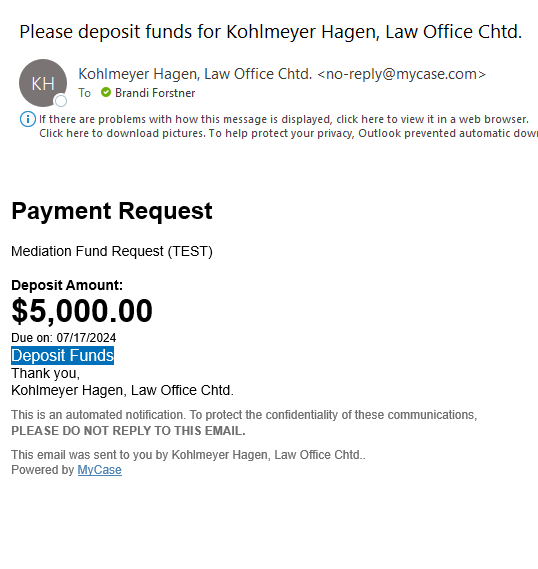
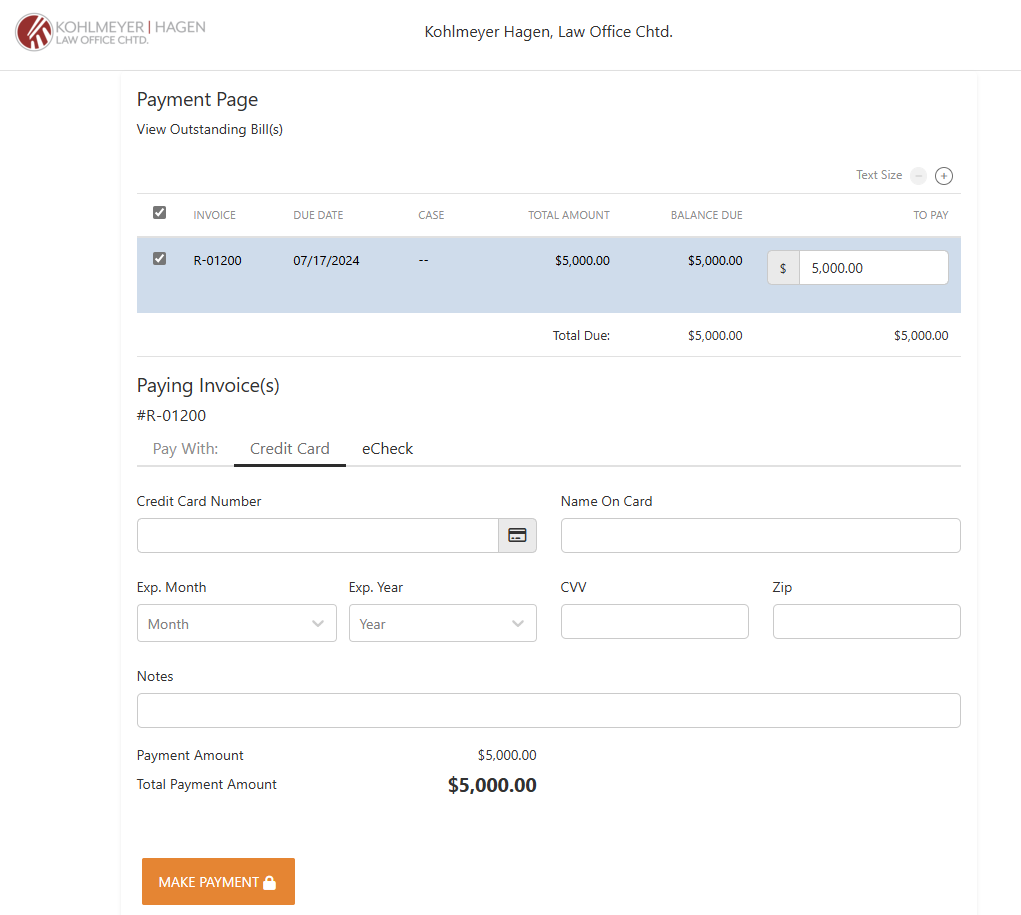
And then they will need to click on the blue “Deposit Funds” which will bring them to a payment screen (below):
Where to see request for funds in MyCase
- Click on the name of the client to go to Client Page that shows their name, email address, address, etc.
- Click on Billing
- Click on “Requested Funds” and you’ll see any fund requests, when they were sent, when they were viewed, and if they’ve been paid. (see example below)
