How can we help?
Popular searches: KB Main Page, AI Chat, Widgets
EFS / Odyssey – E-Serving ONLY
Eserving on EFS / Odyssey
Service Only (electronic service by email) Filings can be done on existing cases through Odyssey / EFS. See instructions below:
1. Log into EFS and click start filing
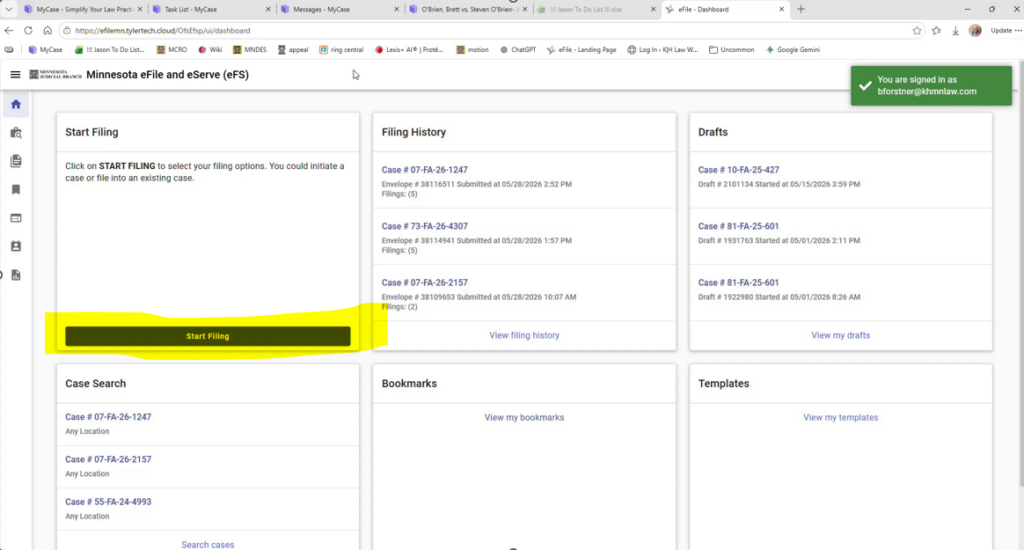
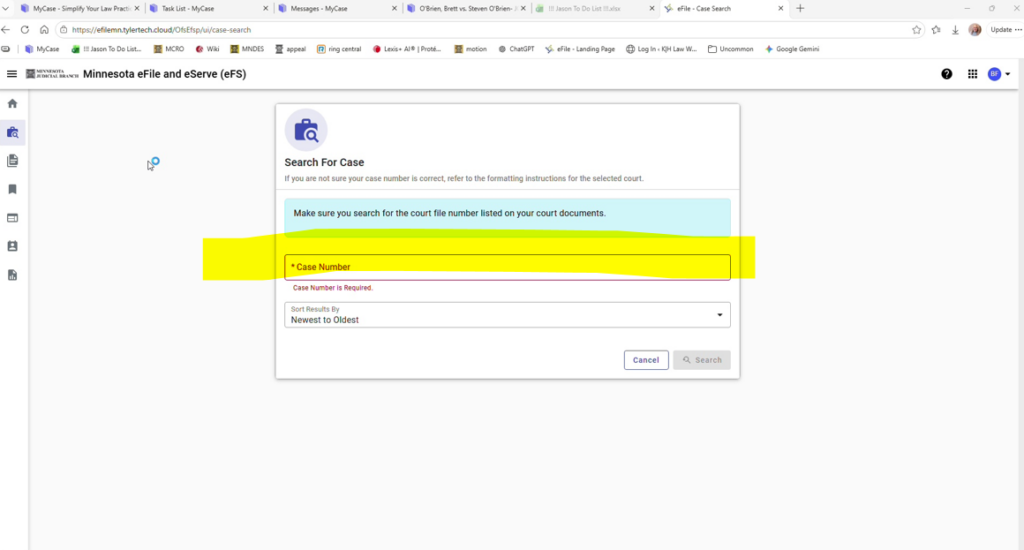
2. Type in your file number
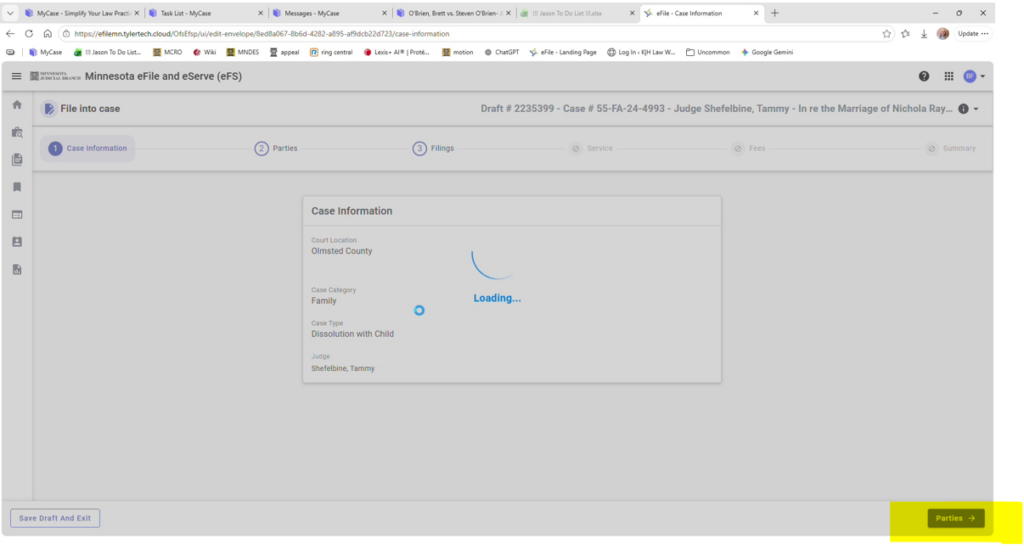
3. Double check the case information, then select Parties
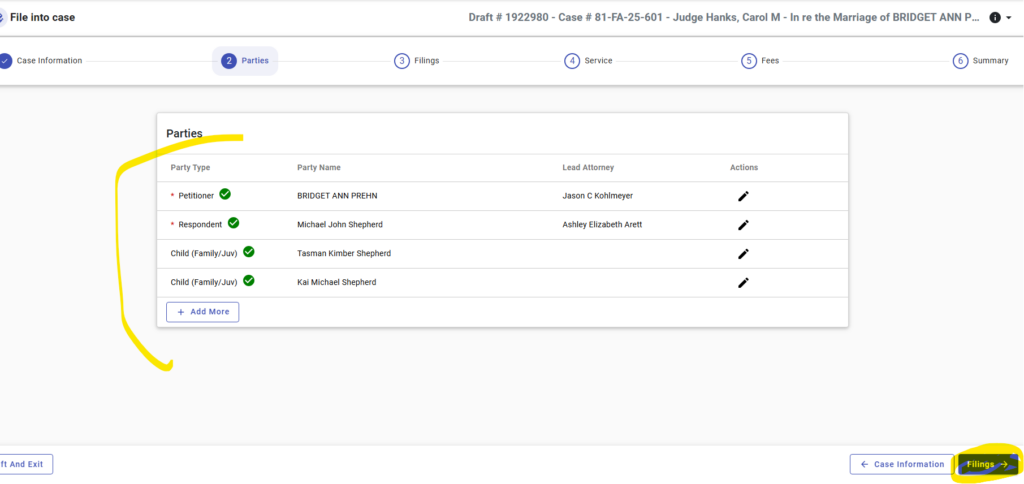
4. Verify this info is correct, then hit filings
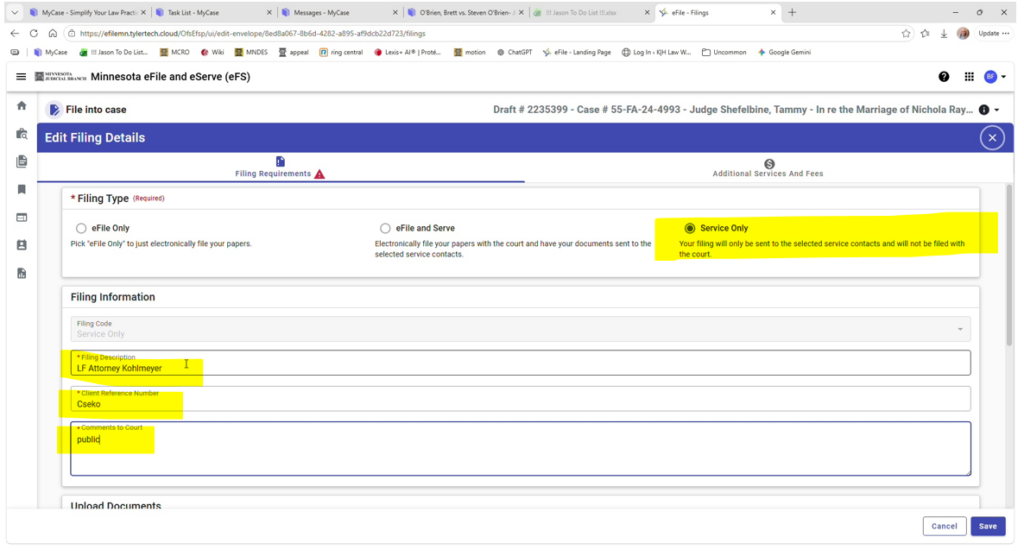
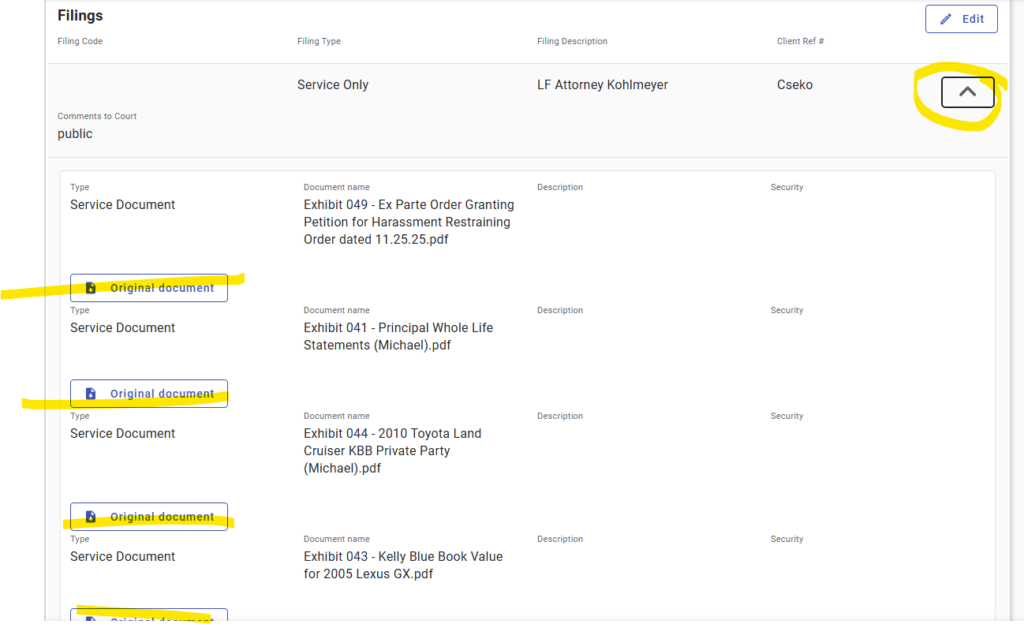
5. Select “Service Only”; Type a summary of what you are filing in the Filing Description; Client Reference # should be last name; Comments to Court should be public.
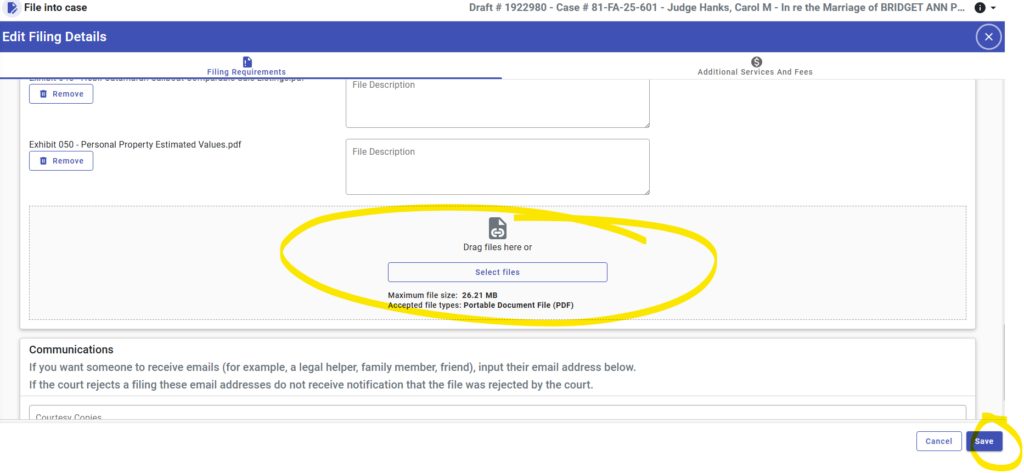
6. Add the documents you want to eserve. Unlike efiling, you can add multiple documents to one eservice. Then select “Save”
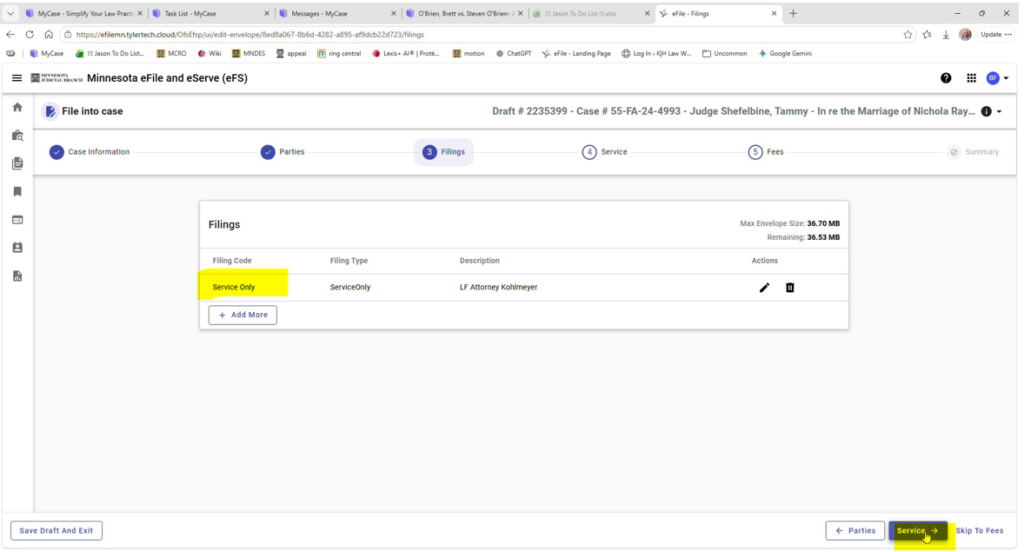
7. On this page, verify it is “Service Only”, then select “Service”
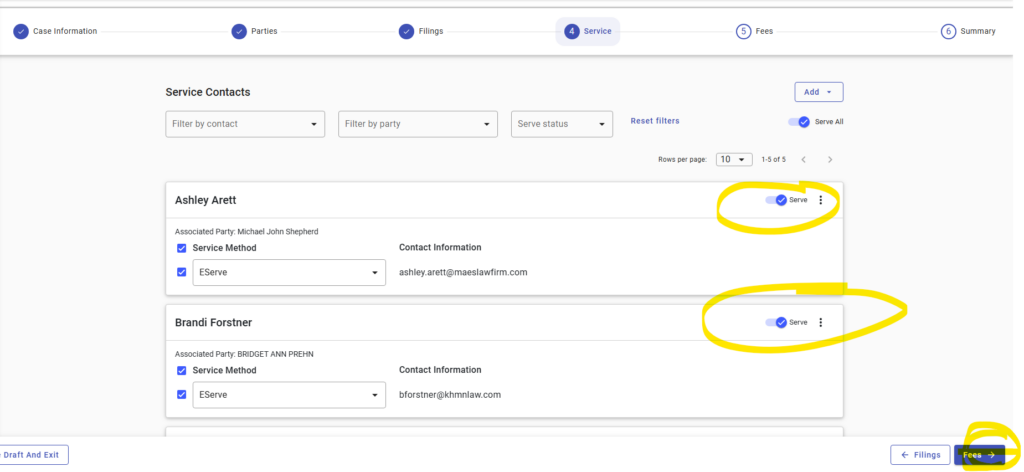
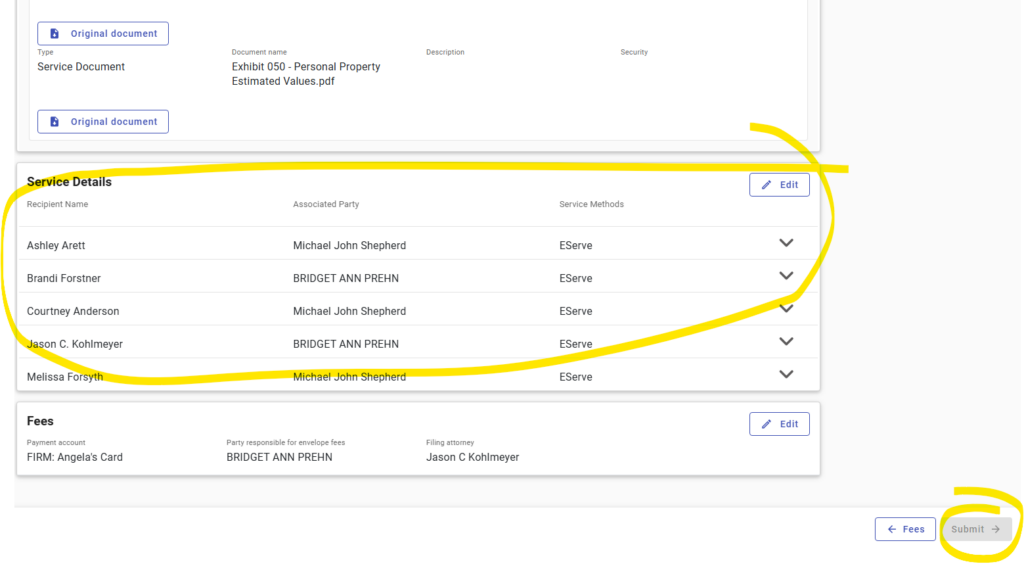
8. Everyone associated with the case will automatically be selected for service. If you DON’T want everyone served for some reason, you’ll have to unselect them (click off the Serve button)
9. Very everything is correct on the final page.
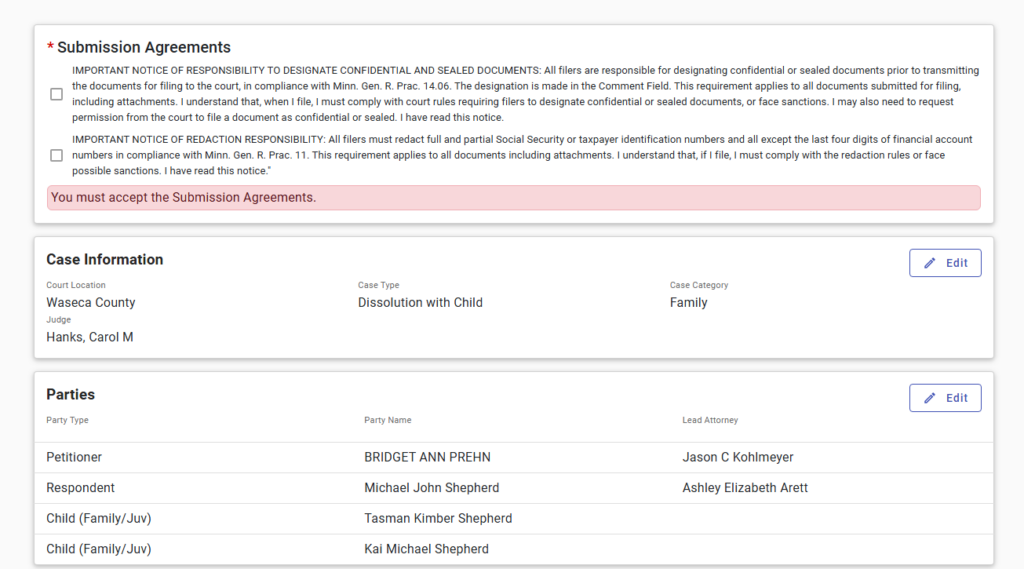
10. Open up the original documents to verify those are correct . Then select submit.
11. Double check that the service contacts are correct, then hit submit
NOTE: You will not receive Submitted or Accepted notifications on Service Only filings as they are not sent to the court for processing. To receive a service notification for your service only filing, you would need to select your email as a service contact to receive service.
NOTE: You CANNOT add a new Party to a Service Only filing.