Popular searches: KB Main Page, AI Chat, Widgets
Adobe – Exhibit Stamping / Labeling
*also redact PRIOR to exhibit stamping, or you will lose your exhibit stamps*
Making Exhibits:
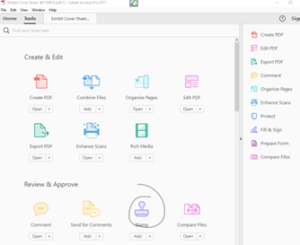
To make exhibits, you’ll need an exhibit stamp in Adobe. (See: Adding Exhibit Stamp to Adobe – K|H Law Wiki (theintervenors.com). Once you have it, open the PDF that you’d like to make an exhibit. Go to “Tools” and choose “Stamp.”
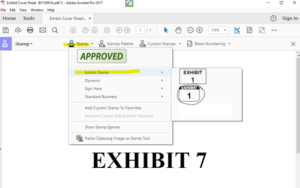
Click “Stamp” on the tool bar, choose Exhibit stamp and select the stamp you’d like to use:
Your cursor will turn into an exhibit stamp:
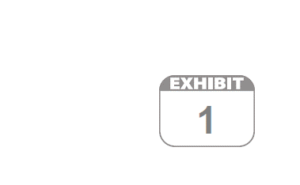
Put the stamp where you want it, and click. The pop-up below will appear. Enter the exhibit number and click “OK.” Your stamp will reflect your choice:
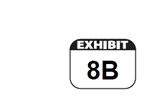
When in the stamp tool, you can resize the stamp by clicking on it and adjust it using the dots that appear in the corners. You can also move it around or delete it. It works best if you’re in the stamp tool, not the edit tool.