Popular searches: KB Main Page, AI Chat, Widgets
MyCase – Entering a Client Expense
Family law clients are always responsible for all expenses incurred in their case so these expenses must be entered in MyCase so that the client can then be billed.
Common expenses in family law include:
- Initial filing fees
- Motion filing fees
- Process server fees
- Fees for legal descriptions, deeds, etc
- Certified Copy Fees
Entering the Client Expense in MyCase
Below is a video on how to enter expenses in MyCase.
How do I create a new expense entry? | 8am MyCase Help Center
And here are specific tips for each field:
Case: (Case Name)
User: (Your Name)
Activity: (Use an activity code already available that most closely matches what the expense is. Try to avoid creating new activities)
This expense is billable – This should always be selected in Family Law unless the attorney has indicated otherwise.
Description: Include a very brief description of the expense. Examples include:
- Initial Filing Fee
- Motion Filing Fee
- Process Server Fee
- Copy of Deed
- Mediation Fee
- Expert Fee
Custom Fields: Do nothing with this
Receipts: Do nothing with this
Date: Choose today’s date to avoid back dating and missing an invoice cycle
Cost: Always put the total amount of whatever you are expensing.
Quantity: This should always be one.
Examples for Cost/Quantity: Even if you requested 5 documents and they were each $3 each, just put $15 in cost, and then 1 in quantity. If you want to indicate there were multiple documents, then include that in your description.
After you enter the expense in MyCase
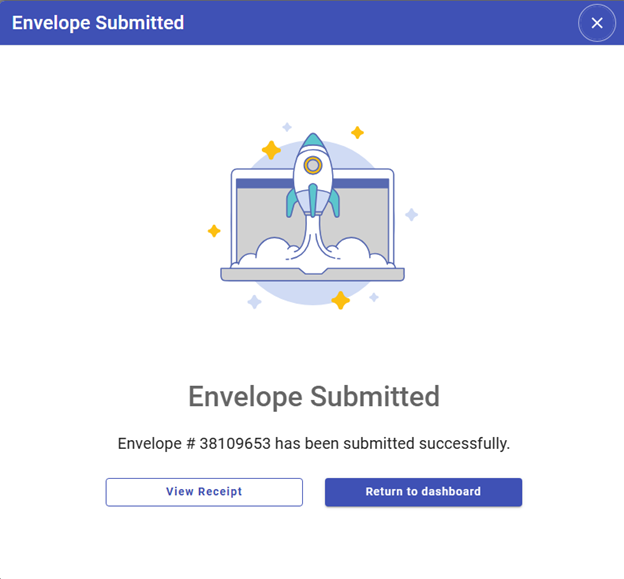
For efs filing fees: After entering the fee in MyCase, you will need to email a copy of the receipt to finance. You can get a copy by selecting “View Receipt” on the “Envelope Submitted” screen that pops up right after you file:
OR – If you didn’t save the receipt right when the filing went through (which is totally fine) then you’ll need to go back to Efs and save a copy of the receipt (See instructions in this video: Video Project.mp4) . Once you have the receipt, you will email to finance department with an email saying something like:
Hi Amber,
Here’s the invoice for the initial filing fee in the Ehrich case. I already entered the expense in MyCase. Thanks!
For any other fee/expense already paid by credit card obo a client: Email the invoice/receipt to finance department with an email saying something like:
Hi Amber,
Here’s the invoice for the process server expense the Smith case, which was paid via firm credit card. I already entered the expense in MyCase. Thanks!
For expenses not yet paid because we need to issue a check (or some form of payment): Email the invoice to finance so they can prepare a check and mail it out. Make sure it’s clear this is an expense that still needs to be paid. Email example below:
Hi Amber,
Attached is an invoice for the appraisal completed on the Dorn matter, which still needs to be paid by the firm. The expense has already been entered in MyCase. Please let me know if you have any questions on who/where to send payment. Thanks!